Advertisement · COSHUMA · Display preview

Find software that fits your team
Compare software prices, features and use cases with COSHUMA's guides to find a tool that suits your team.
Explore software guidesSoftware brands / On-site placements
COSHUMA helps readers compare AI and software tools by price, features and use case. Introduce your product alongside a relevant guide or comparison, in a clearly labeled advertisement.
Compare positions and requirements here. No account or sales call is needed.
Independent AI & software discovery
COSHUMA is a software discovery and comparison site, not the developer of the tools it lists. Readers use tool profiles, buying guides and comparisons to review prices, features, use cases and limitations before visiting a provider.
Explore the public guides without a COSHUMA account. Verify current plans and purchase terms on the provider's website.
Choose a defined position on a relevant page. Your logo and message appear in a separate, labeled card, not as an editorial recommendation.
Advertising and affiliate commissions do not buy a better rating, ranking or recommendation. Page-topic names are not evidence of paying advertisers.
Browse buying guides · Browse comparisons · How we compare tools · Affiliate disclosure
Five fixed positions. Three rotating positions.
A fixed position shows one campaign. A rotating position can share up to three campaigns, showing one at a time. Preview COSHUMA house advertisements here without leaving this page. Position names describe the surrounding page; they do not identify paid advertisers.
Example advertiser: COSHUMA. Page names describe the article topic, not a paying advertiser. This is an interactive example, not a screenshot or customer case study.
Compare software prices, features and use cases with COSHUMA's guides to find a tool that suits your team.
Explore software guidesThe product button above is shown for layout only. It does not open a product site or place an order.
View the position within the full article →Opens a separate tab. The article may contain product comparisons, recommendations and affiliate links. Those are separate from this COSHUMA advertisement.
Back to all positions →Example advertiser: COSHUMA. Page names describe the article topic, not a paying advertiser. This is an interactive example, not a screenshot or customer case study.
Review call notes, customer concerns, agreed actions, responsibilities, deadlines and CRM updates with COSHUMA's three-call checklist.
Open the checklistThe product button above is shown for layout only. It does not open a product site or place an order.
View the position within the full article →Opens a separate tab. The article may contain product comparisons, recommendations and affiliate links. Those are separate from this COSHUMA advertisement.
Back to all positions →Example advertiser: COSHUMA. Page names describe the article topic, not a paying advertiser. This is an interactive example, not a screenshot or customer case study.

Compare software prices, use cases and limitations on COSHUMA before choosing a subscription.
Browse comparisonsThe product button above is shown for layout only. It does not open a product site or place an order.
View the position within the full article →Opens a separate tab. The article may contain product comparisons, recommendations and affiliate links. Those are separate from this COSHUMA advertisement.
Back to all positions →Example advertiser: COSHUMA. Page names describe the article topic, not a paying advertiser. This is an interactive example, not a screenshot or customer case study.
Compare software prices, use cases and limitations on COSHUMA before choosing a subscription.
Browse comparisonsThe product button above is shown for layout only. It does not open a product site or place an order.
View the position within the full article →Opens a separate tab. The article may contain product comparisons, recommendations and affiliate links. Those are separate from this COSHUMA advertisement.
Back to all positions →Example advertiser: COSHUMA. Page names describe the article topic, not a paying advertiser. This is an interactive example, not a screenshot or customer case study.
Compare software prices, features and use cases with COSHUMA's guides to find a tool that suits your team.
Explore software guidesThe product button above is shown for layout only. It does not open a product site or place an order.
View the position within the full article →Opens a separate tab. The article may contain product comparisons, recommendations and affiliate links. Those are separate from this COSHUMA advertisement.
Back to all positions →Example advertiser: COSHUMA. Page names describe the article topic, not a paying advertiser. This is an interactive example, not a screenshot or customer case study.
Compare software prices, features and use cases with COSHUMA's guides to find a tool that suits your team.
Explore software guides
Review call notes, customer concerns, agreed actions, responsibilities, deadlines and CRM updates with COSHUMA's three-call checklist.
Open the checklistCompare software prices, use cases and limitations on COSHUMA before choosing a subscription.
Browse comparisonsPreview controls are manual. On-page rotation uses up to three creatives, one at a time, with an eight-second interval when active.
The product button above is shown for layout only. It does not open a product site or place an order.
View the position within the full article →Opens a separate tab. The article may contain product comparisons, recommendations and affiliate links. Those are separate from this COSHUMA advertisement.
Back to all positions →Example advertiser: COSHUMA. Page names describe the article topic, not a paying advertiser. This is an interactive example, not a screenshot or customer case study.
Review call notes, customer concerns, agreed actions, responsibilities, deadlines and CRM updates with COSHUMA's three-call checklist.
Open the checklistCompare software prices, features and use cases with COSHUMA's guides to find a tool that suits your team.
Explore software guidesCompare software prices, use cases and limitations on COSHUMA before choosing a subscription.
Browse comparisonsPreview controls are manual. On-page rotation uses up to three creatives, one at a time, with an eight-second interval when active.
The product button above is shown for layout only. It does not open a product site or place an order.
View the position within the full article →Opens a separate tab. The article may contain product comparisons, recommendations and affiliate links. Those are separate from this COSHUMA advertisement.
Back to all positions →Example advertiser: COSHUMA. Page names describe the article topic, not a paying advertiser. This is an interactive example, not a screenshot or customer case study.
Compare software prices, use cases and limitations on COSHUMA before choosing a subscription.
Browse comparisonsCompare software prices, features and use cases with COSHUMA's guides to find a tool that suits your team.
Explore software guidesPreview controls are manual. On-page rotation uses up to three creatives, one at a time, with an eight-second interval when active.
The product button above is shown for layout only. It does not open a product site or place an order.
View the position within the full article →Opens a separate tab. The article may contain product comparisons, recommendations and affiliate links. Those are separate from this COSHUMA advertisement.
Back to all positions →| Position | Format | Capacity | Image file | Explore |
|---|---|---|---|---|
| Pipedrive / introduction | Fixed | 1 | 600 × 600 · 300 KB | Preview ad |
| Claap / introduction | Fixed | 1 | 1200 × 675 · 500 KB | Preview ad |
| Semrush / Frase / before sources | Fixed | 1 | 1200 × 400 · 400 KB | Preview ad |
| Tool RotationBefore the final summary, after the product-comparison section. | Rotating | 3 | 1200 × 400 · 400 KB | Preview ad |
| Guide RotationAfter the three-call checklist, before the suitability section. | Rotating | 3 | 1200 × 400 · 400 KB | Preview ad |
| Compare RotationAfter the comparison table, before the evaluation questions. | Rotating | 3 | 1200 × 400 · 400 KB | Preview ad |
| Buyer Hub FixedAfter the buyer-guide introduction, before the pricing and trial guide list. | Fixed | 1 | 1200 × 400 · 400 KB | Preview ad |
| Comparison Hub FixedAfter the comparison-hub introduction, before the comparison list. | Fixed | 1 | 1200 × 400 · 400 KB | Preview ad |
No rotation. This is exclusivity for the named position, not for the page, category or entire site. It does not guarantee that every visitor sees the ad.
The default interval is eight seconds while the unit is in view. Hover, keyboard focus, user pause, reduced-motion settings and inactive tabs can stop rotation. With three campaigns, a full uninterrupted cycle takes 24 seconds.
A fixed booking is not silently converted into shared rotation. The number of creatives, dates, reporting rules and final price must be published before payment. No reach, click or one-third-impression guarantee is made.
The starting slide is selected randomly on each page load; eligible slides take equal-length turns. This is not a guarantee of equal impressions across visitors. Only the visible creative can earn a measured impression. F4–F5 fixed positions and R1–R3 rotating positions do not yet have final prices and remain preview-only until a fixed-price catalogue is published. F1–F3 fixed image bookings are open under the published catalogue; historical text-ad rates are not rotating-ad prices.
Real page context
These screenshots show COSHUMA house advertisements within software articles. Product recommendations visible around the advertisement belong to the article, not to the ad. Use the eight-position preview above to view the advertisement separately.

Tool placement
For sales and CRM software with a relevant use case.
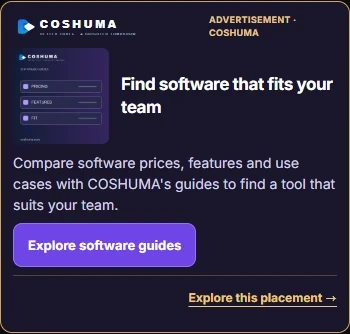
Mobile emulation. Final client artwork requires approval before publication.
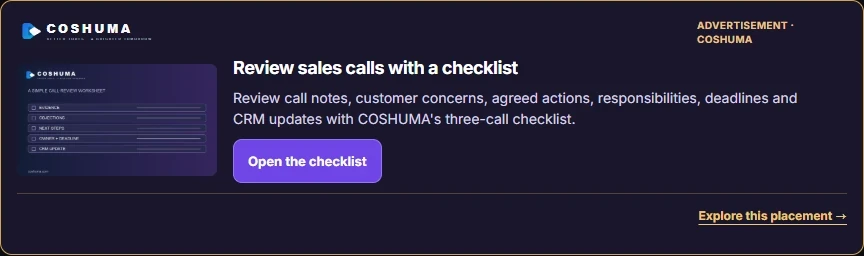
Guide placement
For products that support sales calls, follow-up or related workflows.
Mobile emulation. Final client artwork requires approval before publication.
Comparison placement
For software relevant to SEO research or content creation.
Mobile emulation. Final client artwork requires approval before publication.
Screenshots: 6 October 2026. Mobile examples use a simulated viewport, not a physical-phone test. They illustrate house ads, not advertiser results. Final client artwork and layout require separate approval.
Plan a focused test
F1–F3 use the published fixed prices below. Choose 7, 30 or 90 days; the exact position is reserved only after your submitted PNG materials pass review. F4–F5 and R1–R3 remain preview-only.
| Placement | 7 days | 30 days | 90 days |
|---|---|---|---|
| Tool Page Sponsored | $19 | $49 | $129 |
| Featured Buyer Guide Placement | $39 | $99 | $269 |
| Comparison Premium | $59 | $149 | $399 |
Agree on the exact location. Desktop and mobile are two layouts of the same placement, not two separate bookings.
The proposed image format includes an image, headline, description and link. Bespoke design and other channels are not included.
Current paid advertisers get first access to renew the same placement while their campaign is active. A renewal is a separate confirmed period and PayPal order; nothing is charged automatically.
Image formats, final price, applicable taxes, availability and reporting terms must be confirmed before booking. Impressions, clicks, leads and sales are not guaranteed.
Select the position. Check the requirements.
F1–F3 applications are available below with no COSHUMA account. Upload the exact PNG logo and placement image, submit the copy for review, and pay only after the position is approved and reserved.
600 × 600 px
Maximum 300 KB
1200 × 675 px
Maximum 500 KB
1200 × 400 px
Maximum 400 KB
Provide a separate 400 × 400 px transparent PNG logo, up to 100 KB. Preserve its proportions and choose a version that is readable on a dark card. Every displayed creative carries its own advertiser's logo.
Use a static PNG for the main image. Keep essential text outside the image and leave a 5% safe margin. JPG, WebP, video and animated artwork are not accepted in the current booking flow.
Advertiser and product names; contact email; selected position, period and preferred start date; logo; main image; headline; description; button text; a public HTTPS destination; and confirmation that you are authorized to promote the product and that the submitted copy is accurate.
Limits including spaces: headline 5–80 characters; description 20–240; button 2–30. COSHUMA supplies the advertising label, card border and rotation controls.
F1–F3 can be submitted now. No payment is collected with the application: COSHUMA first checks the destination, claims and creative files, then reserves the position and enables checkout. F4–F5 and R1–R3 are not yet bookable.
Back to all positions →Ads sit between article sections and never cover the text. Artwork is scaled to the device; the file dimensions are not the displayed card dimensions. Logos and all copy stay readable. No full-screen, sticky or popup ad format is offered.
Clear answers before you decide
An independent AI and software discovery site with tool profiles, buying guides and comparisons. COSHUMA is not the developer of the listed tools and does not sell their subscriptions.
Yes for F1–F3. Submit the application and required PNG files first. Payment is not offered until COSHUMA approves the materials and reserves the selected position. F4–F5 and R1–R3 remain preview-only.
No. The intended model uses published prices, availability and specifications. You choose your position or package. Materials are reviewed for compliance and relevance, not as a sales consultation.
No minimum reach, clicks, leads or sales are promised. Verified page-level audience figures are not supplied here. Sitewide visits and social followers are not ad impressions. Current F1–F3 bookings do not include a minimum delivery or performance guarantee.
No. A future paid placement is a labeled advertising card, not an editorial endorsement. It does not change product ratings, rankings or recommendations.
One creative shares a position with up to two others. Only one is visible at a time. On the article, the default interval is eight seconds while rotation can run. Preview buttons on this page are manual. Equal exposure and a one-third impression share are not guaranteed.
Yes. Your submitted product logo identifies your advertisement. The COSHUMA logo remains in the site header. In these house examples, COSHUMA is both the site operator and the advertiser.
Only after approved materials, confirmed payment and the agreed schedule result in actual publication. Dates, changes, reporting and cancellation rules must be shown before payment. There is no automatic renewal; an active paid advertiser can choose a priority renewal for the same placement before it reopens.
Compare positions, check the format and prepare your brand materials.
Technical or delivery support: support@coshuma.com. This is not a package-selection consultation.
No COSHUMA account is required. Online applications receive an order reference after they are saved. If online submission is unavailable, the same form prepares an email for you to send.
This draft has not been sent or submitted. Copy the text below into your email app and send it to request review. Do not send payment with the application.
Keep your order reference. Your private application access stays in this browser tab. An approval or renewal email may use a signed URL fragment to restore this application; the fragment is removed from the address bar when the page opens and is not sent to the web server.
Confirm the company name, tool name, order reference and total before approving payment. Payment is checked against this order; the payer's display name alone is not proof of payment.
Questions or a longer campaign? Contact support@coshuma.com.